
 55 Park Road,



One AI Prompt Could Save You Hours of Answering Customer Emails
What if you could spend 15 minutes with artificial intelligence today and eliminate hours of repetitive work from your business in the months ahead?
Think about the questions your business answers every week.
What are your hours? How much does your service cost? Can I reschedule an appointment? How long will delivery take? What happens after I place an order?
They’re perfectly reasonable questions. Customers deserve helpful, accurate answers.
But if you or your employees are typing essentially the same responses over and over again, you’re spending valuable time on work that could be made considerably easier.
And here’s something that might surprise you.
You don’t need expensive AI software, complicated integrations, or an IT department to get started.
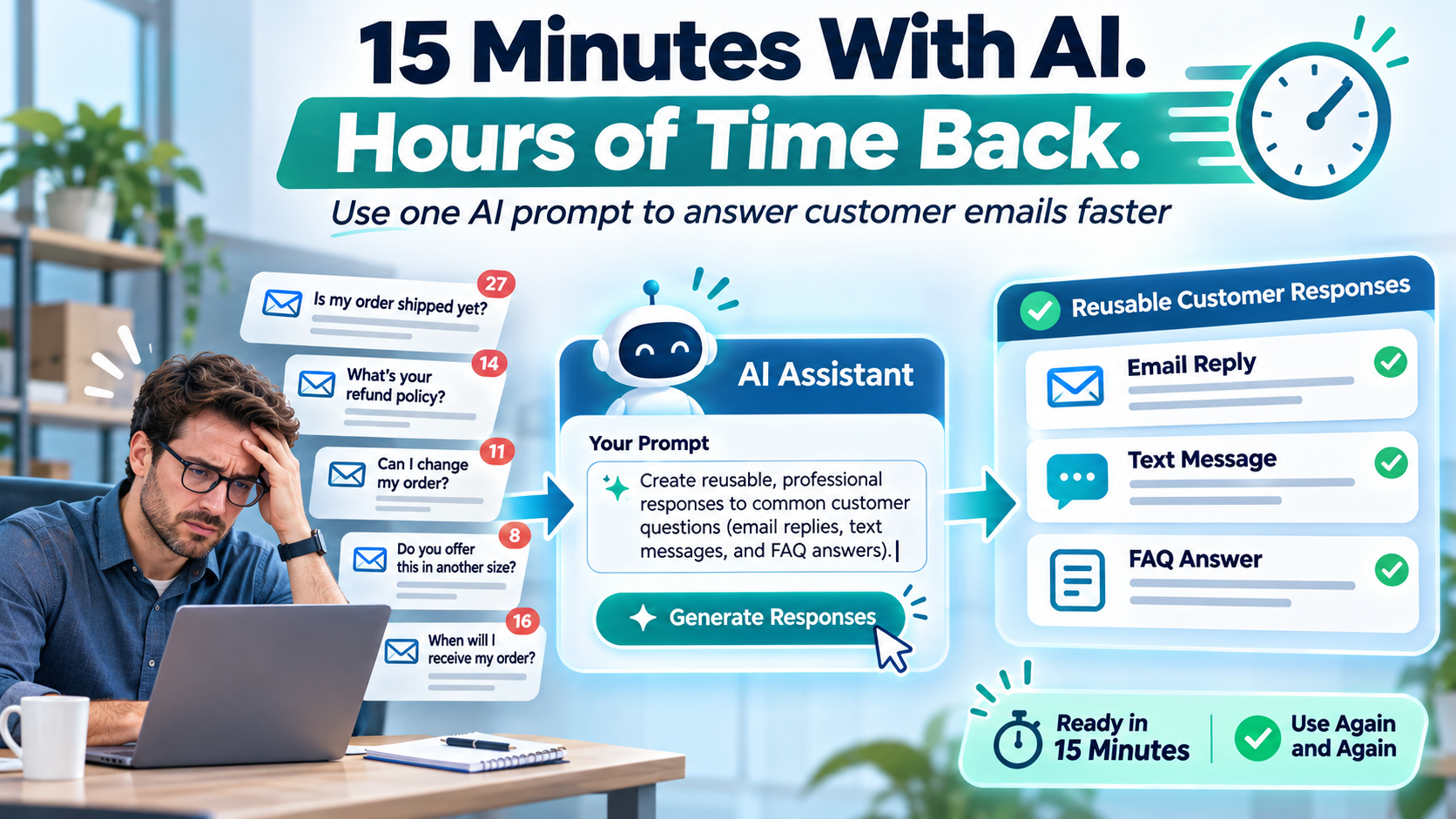
You can create a reusable library of professional customer responses with ChatGPT or Microsoft Copilot in approximately 15 minutes.
Here’s how.
Step 1: Find the Five Questions You Answer Most Often
Before opening an AI application, take a few minutes to think about the customer questions that repeatedly arrive in your inbox.
Almost every business has them.
For example, a service company might regularly receive questions about:
- Business hours and appointment availability.
- Pricing and estimates.
- Rescheduling or cancelling appointments.
- How long a service or project usually takes.
- What customers should expect after booking a service.
Write down five common questions, along with the correct answers your business wants customers to receive.
Be specific about your actual business policies. If pricing depends on the project, explain that rather than supplying an approximate price.
These questions and answers will become the starting point for your AI assistant.
Step 2: Give AI One Simple Assignment
Open ChatGPT, Microsoft Copilot, or another AI assistant approved for use in your business.
Instead of asking the AI to “write some customer emails,” provide clear instructions about the task, your preferred tone, and the information it should use.
Copy the following prompt and replace the bracketed section with your five questions and approved answers.
AI Prompt #1: Create a Customer Response Library
I own a small business and want to spend less time answering repetitive customer questions.

Below are five questions customers frequently ask, along with our approved answers:

[INSERT YOUR FIVE QUESTIONS AND ANSWERS HERE]

For each question, create:

1. A friendly, professional email response.
2. A shorter response suitable for a text message.
3. A one-sentence FAQ answer for our website.

Use clear, conversational language.

Keep responses helpful and concise.

Do not invent prices, policies, guarantees, delivery dates, or other business details.

If important information is missing, flag it rather than making an assumption.

Organize everything into an easy-to-use reference document for my employees.
Within moments, you’ll have a collection of responses your employees can review, personalize, and reuse.
Instead of starting from a blank screen, they now have a consistent starting point for answering customers.
Step 3: See the Difference in a Realistic Example
Let’s imagine you operate a company providing equipment installation services.
A customer sends this email:
Hi, I’m interested in having some equipment installed at our office. Can you tell me how much it costs and how soon you could do it?
An employee might quickly type:
Hi, pricing depends on the job. We would need more information before giving you a quote. Let us know what you need.
There’s nothing wrong with that response, but it could be more helpful.
Now imagine you’ve told AI that your company provides customized estimates, doesn’t publish fixed installation prices, and needs a description of the equipment before preparing a quote.
AI might produce something like this:
Hi,
Thanks for reaching out! We’d be happy to help with your office equipment installation.
Since each installation is a little different, we prepare estimates based on the equipment involved and the work required.
If you can send us a brief description of the equipment and where it needs to be installed, we’ll be happy to review the details and discuss the next steps.
We can also confirm scheduling availability once we understand the scope of the project.
Thanks again for considering us!
The second response is more welcoming, answers the customer’s question, and explains exactly what information is needed next.
Best of all, it doesn’t invent a price or promise an installation date that hasn’t been confirmed.
That’s where AI can provide immediate value: helping your employees communicate more effectively without spending additional time composing every message from scratch.
Step 4: Make the Responses Sound Like Your Business
One of the most common complaints about AI-generated content is that it sounds generic.
Fortunately, that’s easy to improve.
Once AI produces the initial responses, give it another instruction describing how your company normally communicates.
AI Prompt #2: Make the Responses More Natural
Rewrite these customer responses to sound like a friendly, professional small business.

We want customers to feel they're speaking with a real person, not receiving an automated message.

Use plain English and short paragraphs.

Avoid corporate jargon, exaggerated enthusiasm, and unnecessary explanations.

Be warm, helpful, and direct.

Preserve all approved business information exactly.

Do not add promises or details we haven't provided.

Keep most responses under 120 words.
Read through the revised messages. Adjust any wording that doesn’t feel appropriate for your business.
Once you’re satisfied, save the approved responses in a shared document or as templates in your email platform.
Now every employee can provide consistent answers without having to reinvent them.
Step 5: Turn Those Same Answers Into Website Content
Here’s where this exercise becomes even more valuable.
You’ve already identified the questions customers ask most frequently and created accurate answers.
Why not use that information to improve your website?
Many small business websites provide plenty of information about services but fail to answer the practical questions potential customers have before contacting the company.
A clear FAQ section can make your website more useful while reducing repetitive enquiries.
AI Prompt #3: Create a Website FAQ
Using the five approved customer questions and answers we've developed, create a Frequently Asked Questions section for our business website.

For each question:

1. Write a clear, customer-friendly heading.
2. Provide a helpful answer of approximately 40 to 70 words.
3. Use natural language that prospective customers would understand.
4. Avoid technical jargon and promotional exaggeration.

Do not invent any business policies, prices, guarantees, or service commitments.

Finish with a short invitation encouraging visitors to contact us if they need additional information.
In one short exercise, you’ve created email responses, text-message templates, and useful website content.
That’s a far more productive use of AI than simply asking it random questions throughout the day.
One Important Rule: AI Should Draft, Not Decide
There is an important distinction between using AI to help write customer responses and allowing AI to make business decisions.
AI can occasionally misunderstand instructions, introduce incorrect information, or make assumptions that sound convincing.
That’s why every response should be reviewed before it becomes an approved company template.
Pay particular attention to prices, refund policies, scheduling commitments, warranties, and anything that could create an obligation to a customer.
Also, avoid copying confidential customer information, personal details, or sensitive business records into AI services unless your company has approved the tool and its data-handling policies.
For this exercise, you only need generic customer questions and your company’s approved answers.
The goal is to improve communication, not replace employee judgment.
How Much Time Could This Actually Save?
Let’s consider a hypothetical small business with three employees who regularly respond to customer enquiries.
Suppose each employee answers just five repetitive questions per day.
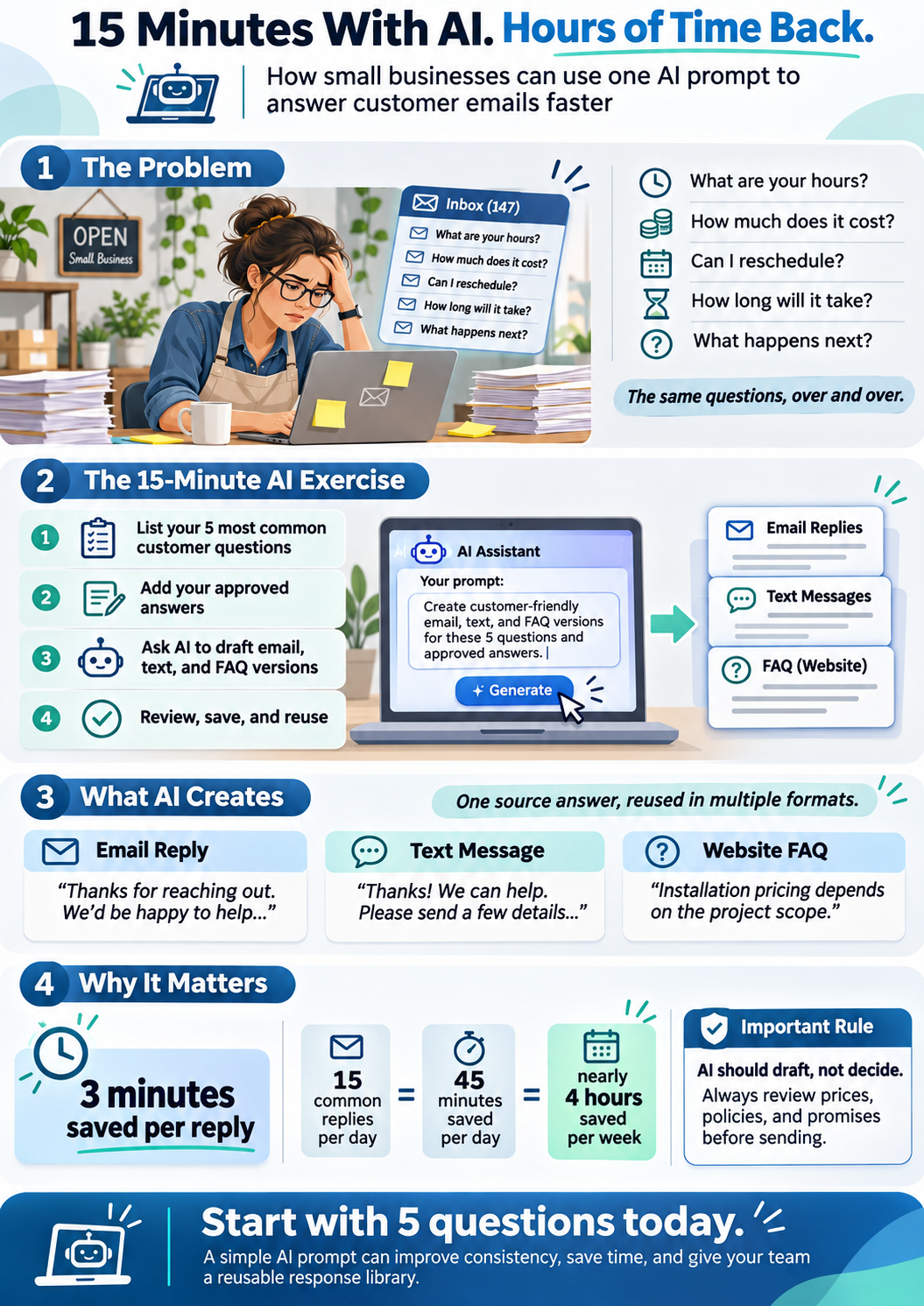
If an approved response template saves three minutes per question, the potential time savings look like this:
- 15 customer responses per day.
- 3 minutes saved per response.
- 45 minutes saved per business day.
- Nearly four hours saved during a five-day workweek.
That’s almost four hours of employee time redirected toward serving customers, completing projects, or handling more valuable work.
Actual results will vary, and employees will still need to personalize and review messages. But the example demonstrates how small improvements in everyday tasks can accumulate.
Your Five-Minute Follow-Up Challenge
Once you’ve created your first five responses, set aside another five minutes to put them somewhere useful.
- Save the approved responses in a shared document or email-template library.
- Give each response a descriptive name so employees can find it quickly.
- Ask one employee to test a template with the next relevant customer enquiry.
- Invite feedback on anything that sounds unnatural or requires clarification.
- Schedule a quick review to update templates when company policies change.
Don’t worry about automating your entire customer service operation.
Start with five questions. Get those responses right. Then expand when you’re comfortable with the process.
The Best Use of AI Might Be the Simplest One
Small business owners hear plenty about artificial intelligence transforming entire industries, replacing jobs, and changing how companies operate.
But not every useful application of AI needs to be revolutionary.
Sometimes the most valuable improvement is simply helping employees spend less time typing the same email for the twentieth time.
Fifteen minutes spent creating reusable customer responses could produce benefits long after the initial exercise is finished.
And once you see how easily AI can simplify one repetitive task, you’ll probably start noticing dozens of others.
That’s the real opportunity for small businesses: not using AI because it’s fashionable, but using it to make everyday work a little easier, one task at a time.
Want to Get More Value From AI in Your Business?
Artificial intelligence can help small businesses streamline repetitive work, improve customer communications, organize information, and make better use of the technology they already own.
But choosing the right tools and introducing them responsibly matters.
A knowledgeable IT support provider can help your business evaluate AI solutions, establish appropriate usage policies, protect sensitive information, and identify opportunities to improve productivity without unnecessary complexity.
Contact your IT support company to discuss practical ways to introduce AI into your everyday business operations.


